ADMIT CARD
📍 Uttar Pradesh
🔥 BREAKING
UP Police SI Recruitment 2025 Exam City Details Out (4543 Posts)
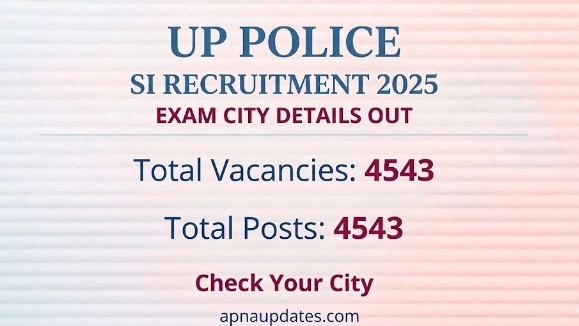
The UP Police SI Recruitment 2025 Exam City Details have been released, which means candidates can now check the city where their exam centre will be located. This is a very important update because it helps you plan travel, accommodation (if needed), and your final exam-day routine without last-minute stress.
Note that “Exam City Details” or “City Slip” is not the same as the admit card. The city slip usually tells you the exam city and sometimes the date/shift, but the exact exam centre address and reporting time generally come later on the admit card. Still, this update is a big step forward in the recruitment process
◾️Key Information at One Place
Here are the key details in one place so you don’t have to search around:
- Organization: Uttar Pradesh Police Recruitment and Promotion Board (UPPRPB)
- Exam: UP Police SI Recruitment 2025 (Sub Inspector)
- Update Type: Exam City Details / Exam City Slip
- Status: Released / Available to Check Online
- Total Posts: 4543 Posts
Important: If your application was submitted successfully, you should be able to access the city slip using your login details. If you cannot, don’t panic—many issues are temporary and fixable (explained in later sections).
◾️Step-by-Step Access with Explanation
Below is a simple step-by-step method to check or download the UP Police SI Exam City Details. I’m also explaining the “why” behind each step, because small mistakes here can waste a lot of time.
Step 1: Go to the official website
Open the official UPPRPB website in your browser. Using the official site matters because many third-party pages show outdated links or incorrect redirects
Step 2: Find the “UP Police SI 2025 Exam City Details” link
On the homepage, look for a notice/update related to “Exam City Slip” or “Exam City Details” for SI recruitment. These links are usually placed under the latest notices or candidate login section.
Step 3: Login using your required credentials
You may need details like:
- Registration Number / Application Number
- Date of Birth / Password (as per the portal requirement)
- Captcha code (if shown)
Remember: enter details exactly as in your application. Even a small mismatch in date format can cause login failure.
Step 4: View your city details and download/save it
Once your city slip opens:
- View the city information carefully
- Download the slip as PDF (if download is available)
- Save a screenshot as backup
Practical tip: Save it in at least two places (phone + email/cloud). This simple habit helps when you’re travelling or switching devices.
Step 5: Take a printout (optional but recommended)
Even if the city slip is not mandatory at the gate, keeping a printout is helpful for planning and for quick reference when you’re discussing travel with family or friends.
◾️Understanding What You See Inside
After you access the exam city details, you’ll likely see a few standard fields. Don’t just glance—verify everything carefully.
Common details shown on an Exam City Slip
- Candidate Name
- Registration/Application Number
- Exam Name (UP Police SI Recruitment 2025)
- Exam City (the city where your centre will be)
- Exam Date / Shift (sometimes mentioned; depends on the release format)
- Important instructions (basic guidelines)
Important note: The exact centre address, reporting time, and gate closing time are generally published on the admit card, not on the city slip. So, if you don’t see the full address now, that’s normal.
What to verify immediately
- Your name spelling matches your application
- Your category/gender (if displayed) is correct
- The exam city is visible and readable
- Any date/shift info (if provided) is correct
If anything looks wrong, keep calm and move to the “Situations You May Face” section below to understand what to do.
◾️What This Tells You About Your Position
City details don’t confirm selection or marks, but they do tell you something important: your candidature is active in the exam process and you’re being scheduled for the test.
Here’s how to use this update in a smart way:
- Travel planning: If the city is far, you can book travel early and often cheaper.
- Time planning: You can estimate when you need to leave, where to stay, and how early to arrive.
- Stress reduction: Knowing the city in advance removes a major uncertainty, which improves your focus in final preparation.
- Exam strategy readiness: With city and possible shift info, you can start adjusting your routine (sleep cycle, meal timings, and practice schedule).
It is worth mentioning that many candidates ignore the city slip, then panic later when they realise their city is different from what they expected. Checking now keeps you in control.
◾️: Situations You May Face
Realistically, not everyone gets a smooth experience on the first try. Here are common situations and what they usually mean.
1) Website not opening or loading slowly
This is extremely common right after release due to heavy traffic. It doesn’t mean your slip isn’t available.
2) Login error even with correct details
This can happen due to:
- Wrong date format (DD/MM/YYYY vs MM/DD/YYYY)
- Extra spaces in registration number
- Browser autofill inserting incorrect info
3) City slip page is blank or PDF not downloading
Often caused by:
- Pop-up blocker
- Weak network
- Browser compatibility issue
4) City shown is unexpected or far away
Exam cities are allotted based on administrative rules and availability. Many times, candidates do not get their first preference (if preferences were taken). The best approach is to accept it early and plan properly.
5) Name mismatch or personal details incorrect
This is serious. If the slip shows wrong identity details, you should not ignore it. You may need to contact the official helpdesk/support as per the recruitment notice.
◾️: Smart Decisions to Take Now
Once you’ve checked your exam city, don’t stop there. Use the next few days wisely.
Plan travel like a professional
- If your city is far, consider arriving one day early
- Choose a stay close to common exam areas if you don’t know the exact centre yet
- Keep buffer time for traffic, especially in big cities
Start document readiness early
Even though the city slip isn’t the admit card, this is the right time to prepare:
- ID proof (original, valid, and not expired)
- Recent passport-size photos (keep extra copies)
- Any other document mentioned in the recruitment instructions
Adjust your preparation routine to the likely exam shift
If your shift is mentioned, practice mock tests in that time window. This small change improves comfort and reduces exam-day fatigue.
Track the admit card update
Remember: the admit card is the final entry document. Keep checking official updates so you don’t miss it.
◾️: Mistakes That Can Hurt You
Some mistakes look small, but they can create big issues later. Keep an eye on these.
Sharing login details casually
Many candidates ask friends to “check it for me” and share credentials. This is risky. Your application data is sensitive, and you should keep your login private.
Not saving the city slip
Sometimes the portal gets busy later, or you might forget your credentials. Save a copy now so you’re not stuck later.
Assuming city slip = admit card
This confusion is common. The city slip helps planning, but the admit card is what you need for the exam day. Keep them separate in your mind.
Waiting until the last minute to plan travel
Late planning leads to higher costs, fewer options, and more stress. If your city is far, plan now.
Ignoring discrepancies
If you spot incorrect details, don’t assume they will “auto-correct.” Raise it through the official channel in time.
◾️: Better Approach Moving Forward
To handle this update smoothly, follow a simple and practical approach:
- Check the city slip on a stable internet connection
- Save it immediately (PDF + screenshot)
- Make a travel plan with extra buffer time
- Keep monitoring the official website for admit card and instructions
- Stay calm if the site is slow—try again during off-peak hours (early morning or late night)
Also, it’s important to keep your preparation steady. Many candidates lose momentum after updates. Don’t do that. Treat this as a signal that the exam process is moving, and your focus should be sharp.
◾️ FAQs
1) Is the UP Police SI exam city slip the same as the admit card?
No. The city slip usually tells the exam city (and sometimes date/shift). The admit card contains the full centre address, reporting time, and exam-day instructions.
2) What if I cannot login even though my details are correct?
First, re-check the date format and remove any extra spaces. Try a different browser (Chrome/Firefox) or use incognito mode. If it still fails, wait and try during non-peak hours.
3) My exam city is far from my home. Can I request a change?
Usually, city changes are not allowed unless the official notice clearly provides a correction window. The practical solution is to plan travel early and reach the city with enough buffer time.
4) What should I do if my name or details are incorrect on the slip?
Do not ignore it. Take screenshots, download the slip, and contact UPPRPB through the official contact/support method mentioned on the website notice. Keep your application details ready.
5) The website is slow and the PDF is not downloading. What works best?
Use a stable network, try early morning hours, disable pop-up blockers for the site, and attempt from a laptop/desktop if possible. Refreshing repeatedly every second can make it worse—wait a bit between attempts.
6) What documents should I keep ready right now?
Keep your registration number, DOB, a valid photo ID (Aadhaar/Driving License/Passport as accepted), and passport-size photos. Also keep your basic personal details handy for quick portal access.
7) When will the UP Police SI admit card be released?
It depends on UPPRPB’s schedule. Generally, admit cards are released a few days before the exam. Keep checking the official website notice section daily once the city slip is out.
============================================================
◾️: Key Takeaways
- UP Police SI Recruitment 2025 Exam City Details are out for 4543 posts, and candidates should check them immediately.
- The city slip helps you plan travel and schedule, but it is not the admit card.
- Download and save the slip now to avoid last-minute website traffic issues.
- Verify your personal details carefully and act fast if you see any mismatch.
- Keep monitoring the official UPPRPB website for the admit card and final exam instructions.
Final reminder: Your city slip is your planning tool. Use it smartly, stay organised, and keep your preparation consistent until exam day.
🔗 Related Latest Government Jobs
📅 Important Dates
| Application Start Date | 12 August 2025 |
| Last Date to Apply | 11 September 2025 |
| Last Date for Fee Payment | 11 September 2025 |
| Form Correction Window | 12–15 September 2025 |
| Exam City Details Available | 06 March 2026 |
| Admit Card Release | Before Exam |
| Exam Date | 14–15 March 2026 |
🔗 Important Links
14th and 15 march 2026 paper admit card
Click Here
Check Exam City Details
Click Here
Download Exam Notice
Click Here
Download OMR Filling Instructions
Click Here
Download Notification
Click Here
Download Syllabus
Click Here
Official Website
Click Here
Join Telegram
Click Here